
Adding correct contact people and inviting additional users
This guide is designed to help you distinguish between Contacts and Users, understand their unique roles, and manage them through our portal. Whether you are looking to keep your company contact list up to date, assigning responsibility, or managing user permissions, this guide will provide the clarity you need to optimise your experience.
In order to manage your Contacts and Users you can do this from within the Manage Account section. This can be accessed by clicking on your name in the top right hand corner.
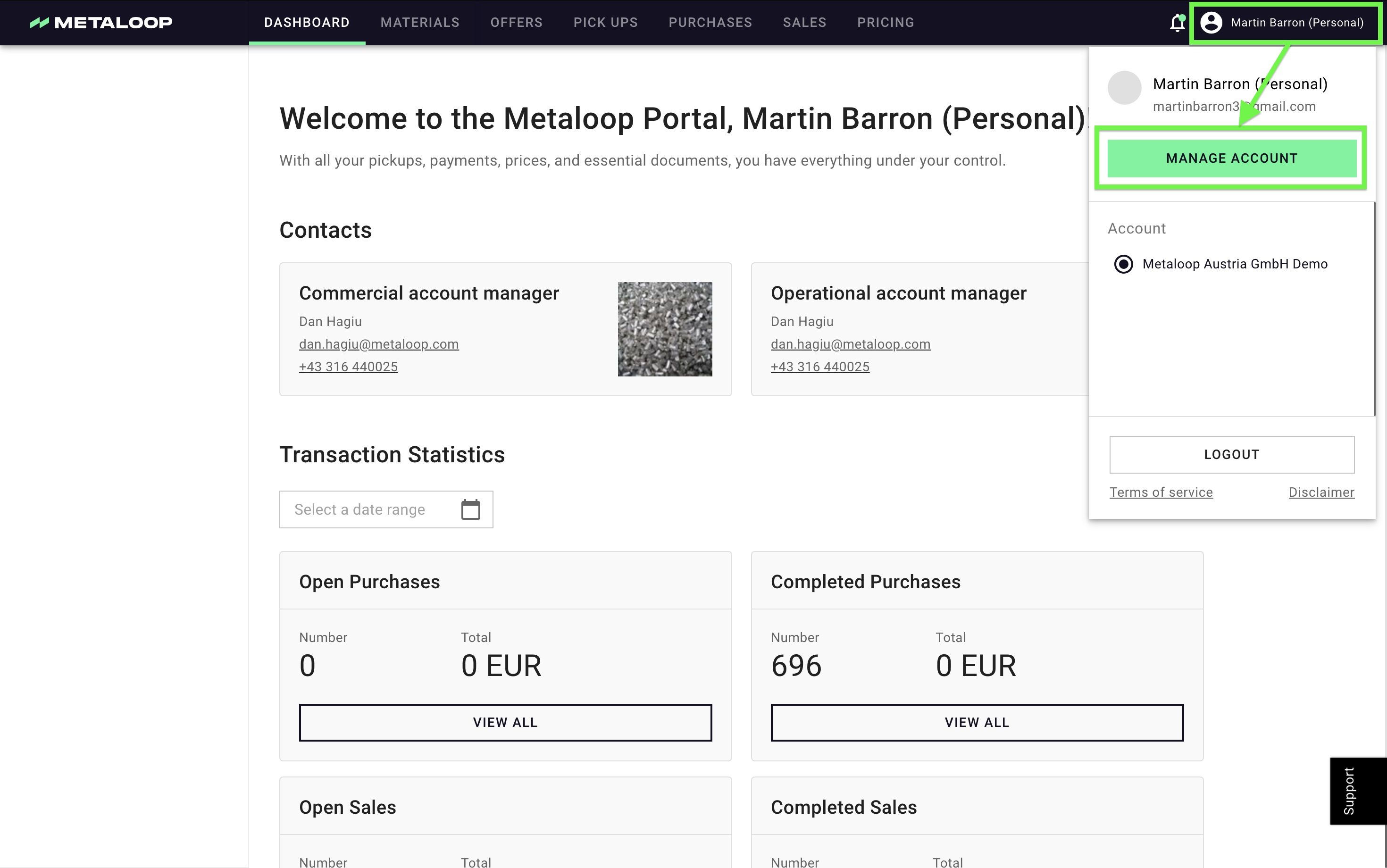
Contacts
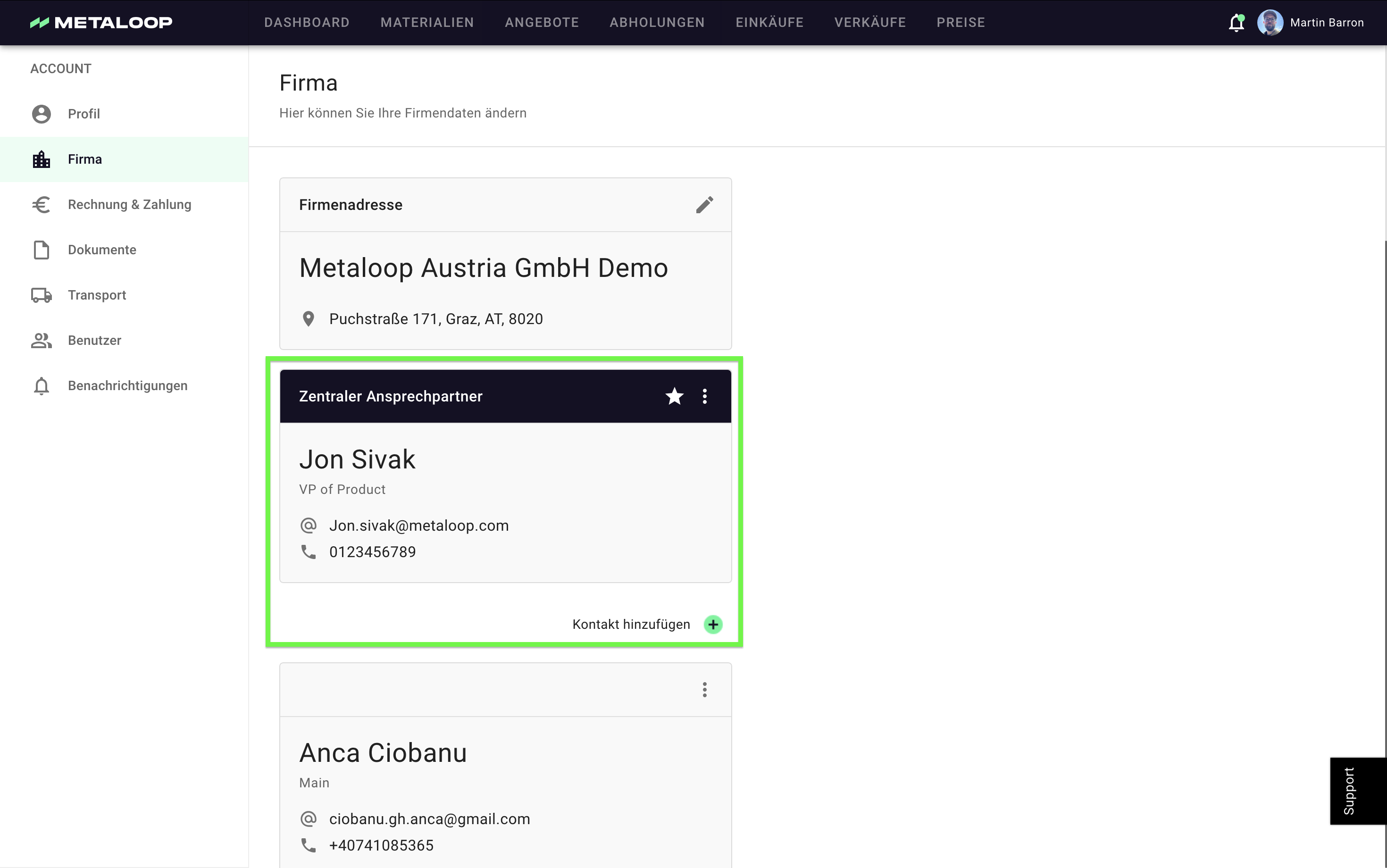
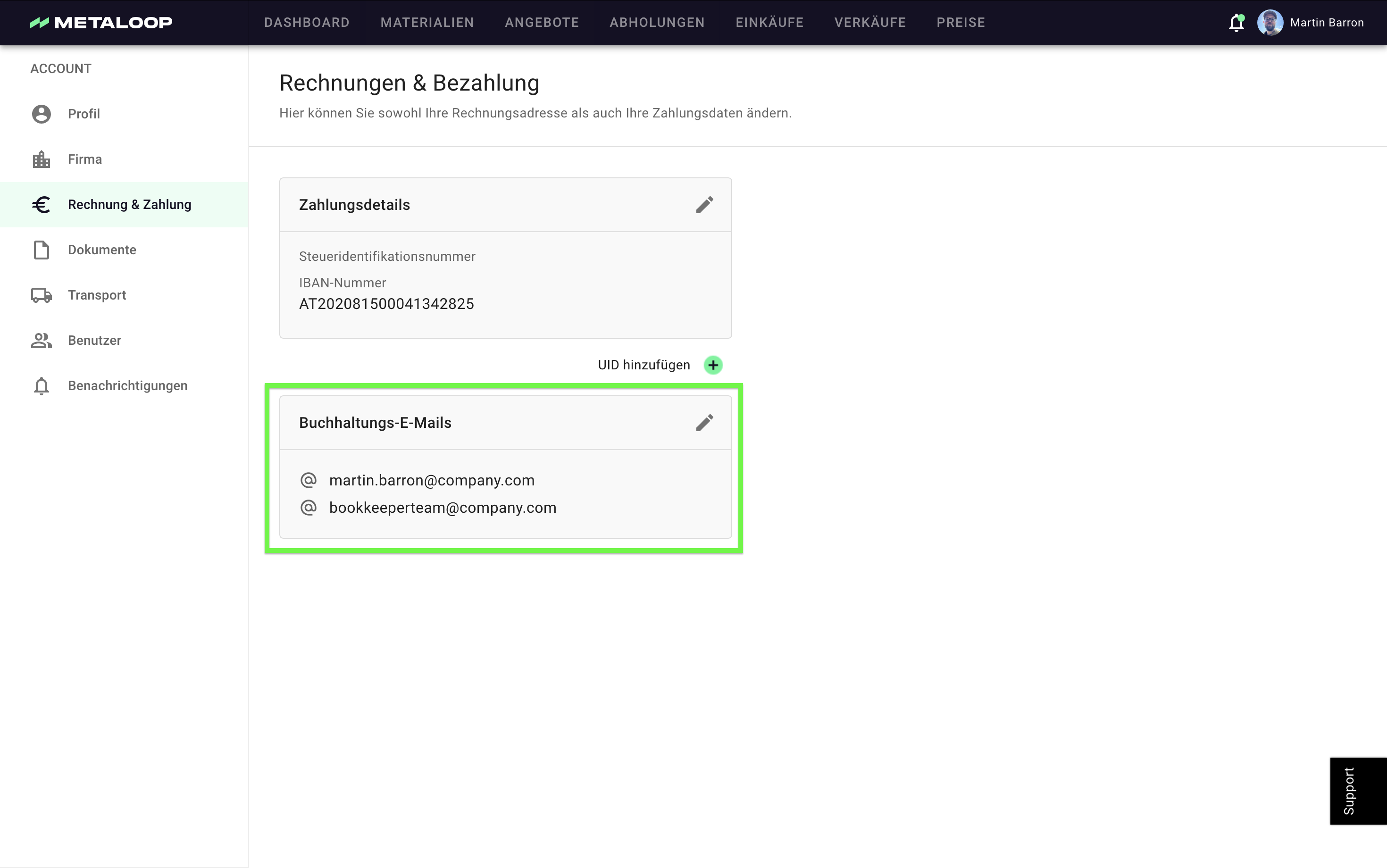
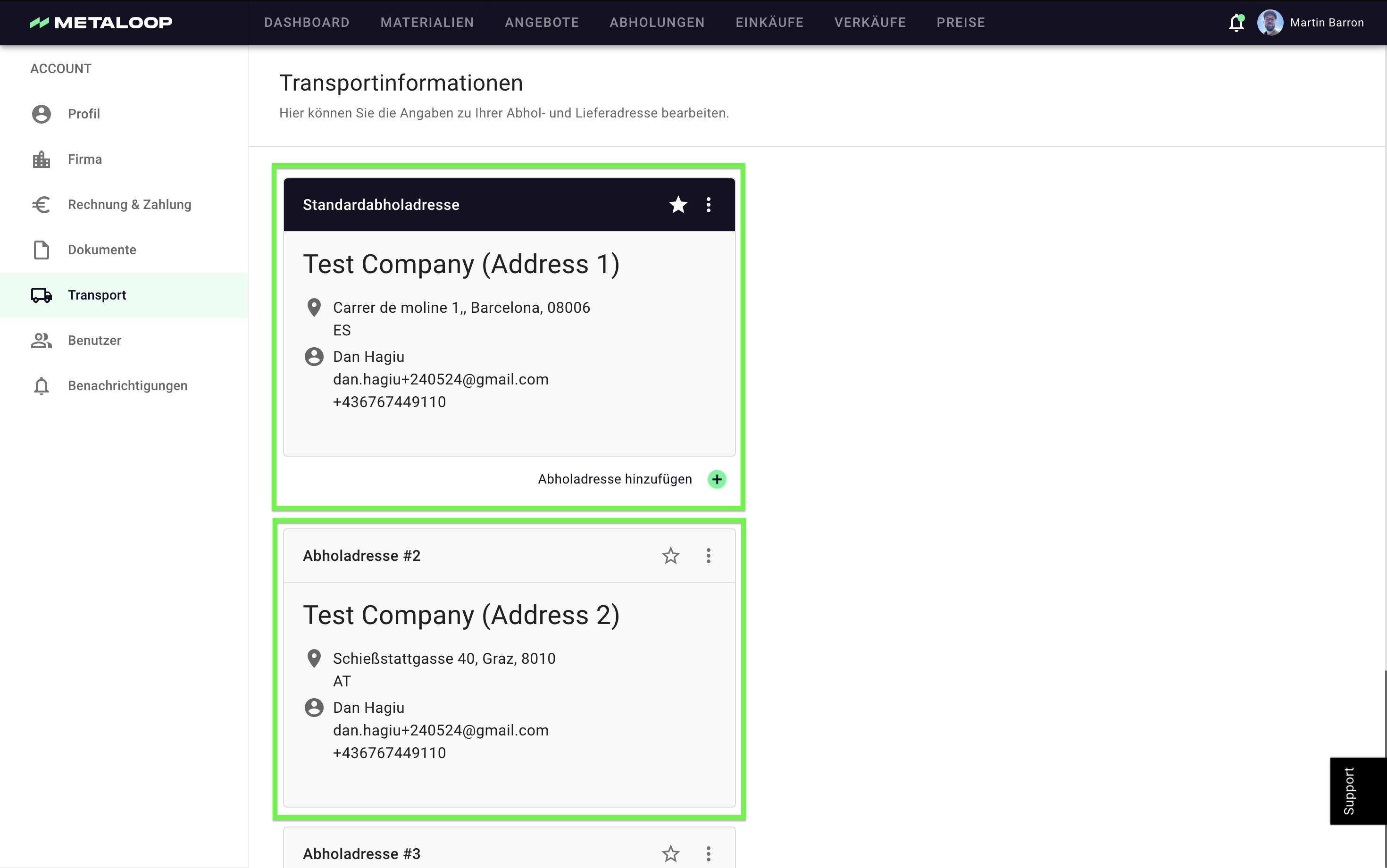
The Contacts are the individuals within your organisation that are relevant to our business cooperation, for all parts of our communication from contract management to invoicing and logistics. There are three key 'contacts' that we need to set and ensure their contact details are always up to date.
| Type of Contact | Responsible for | Multiple Allowed |
|---|---|---|
| Main Contact | Contracts and Offers | No |
| Accounting Contact(s) | Invoicing | Yes |
| Logistic Contact | Transport and Logistics | 1 per address |
How do I add / edit these contacts?
You can edit all this information in the admin section:
- Main contact can be added / edited in the Firma section:
- Accounting Contact(s) can be added / edited in the Billing section:
- Logistic Contact for each address can be added / edited in the Logistics section:
💡 Tips & Tricks:
- If more people should receive information around offers & contracts (not just the main contact), they can be invited as users and subscribe to the 'Offers & Contracts' section.
- If more people should receive information around operations & logistics (not just the logistik contact), they can be invited as users and subscribe to the 'Billing & Accounting' section.
- You might find when logging in for the first time that these contacts have already been set but please check the data and keep up to date when anything changes.
Users
Users are the people in your organisation that have access to the Metaloop Portal. If you want to invite more people to the Metaloop Portal you can do this from within the 'manage account' section. There is no limit on the number of people that can use the Portal.
Users can have permissions that determine their level of access to the portal’s features. Currently, there are two levels of permissions.
| User Permissions | Can access in portal | Can receive notification |
|---|---|---|
| Admin | All functionality | Automatically subscribed to receive emails regarding offers, contracts, logistics, and billing but can unsubscribe if the information is not relevant. |
| Logistics Only | Only functionality and information around pickups (No financial Information) | They can receive emails related to transport and logistics but not regarding financial or contract information. |
How to add or update a User:
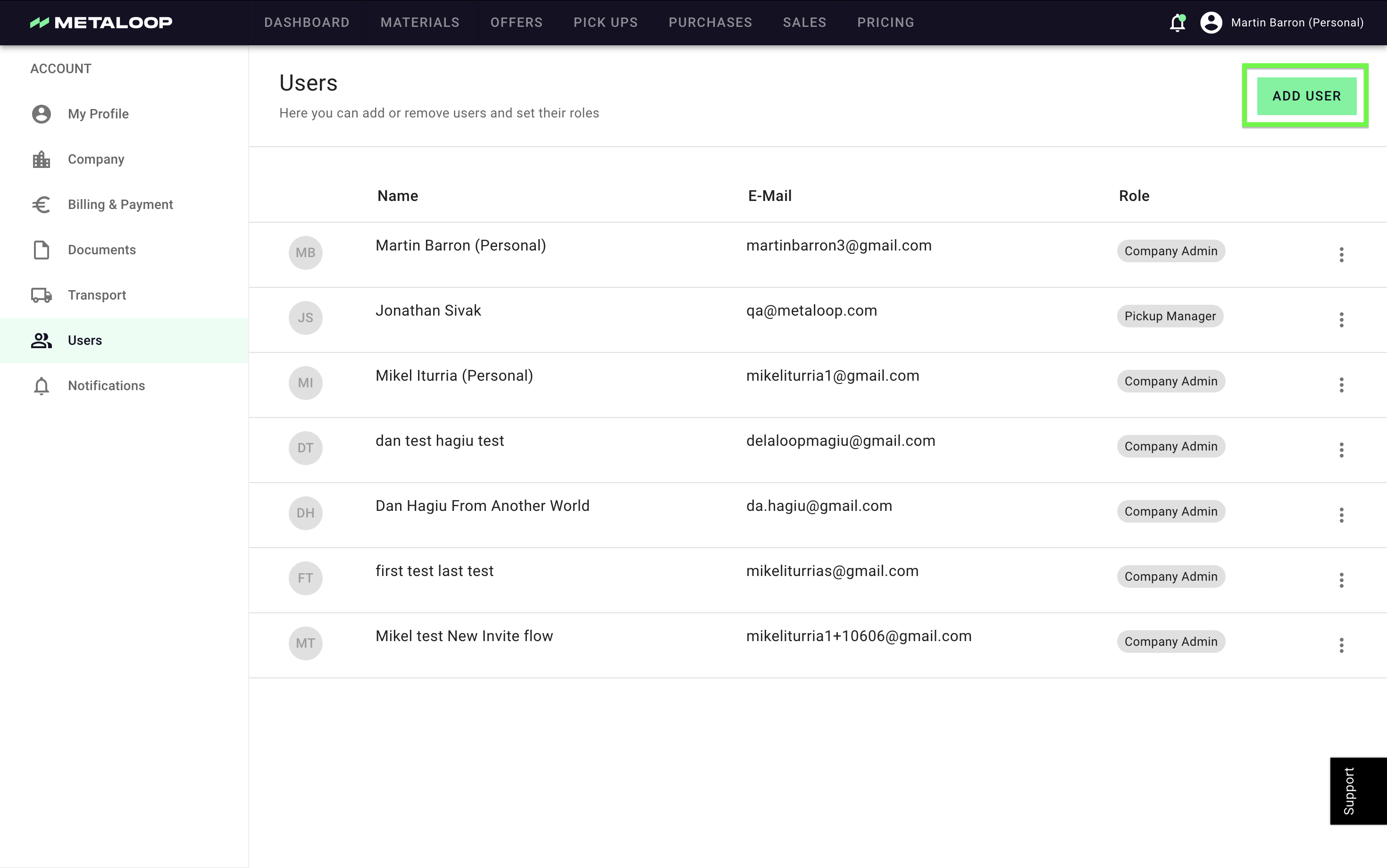
- Go to the ‘Users’ section in the portal.
- Click ‘Add User’ and enter the individual’s details, including their role (Company Admin or Pickup Manager).
- To update an existing user, select the user from the list, make the necessary changes, and click ‘Save’.
If you have any questions or need support please do not hesitate to reach out to us on support@schrott24.atlassian.net