
Managing your Materials
Checking the Contract Conditions for your Materials
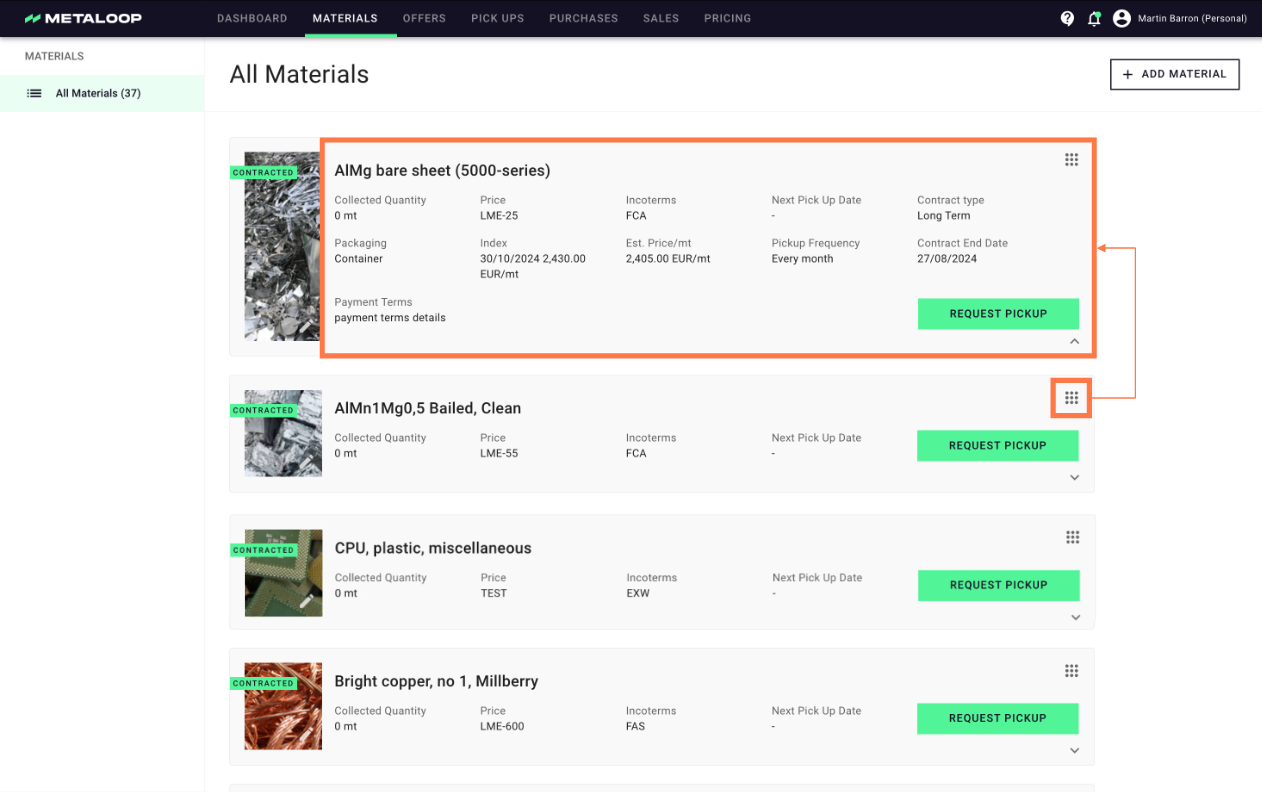
If we have a live contract for a Materials, you can check the conditions for your materials at any time by clicking on the '˅' icon. Here you can see:
- The packaging for the material
- The amount collected to date
- The agreed price and payment terms
- The incoterms
- The type of contract
- The current index price if relevant
- The estimated price based on current index price
- Contract details including end date, pickup frequency and type of contract.
Adding new Material
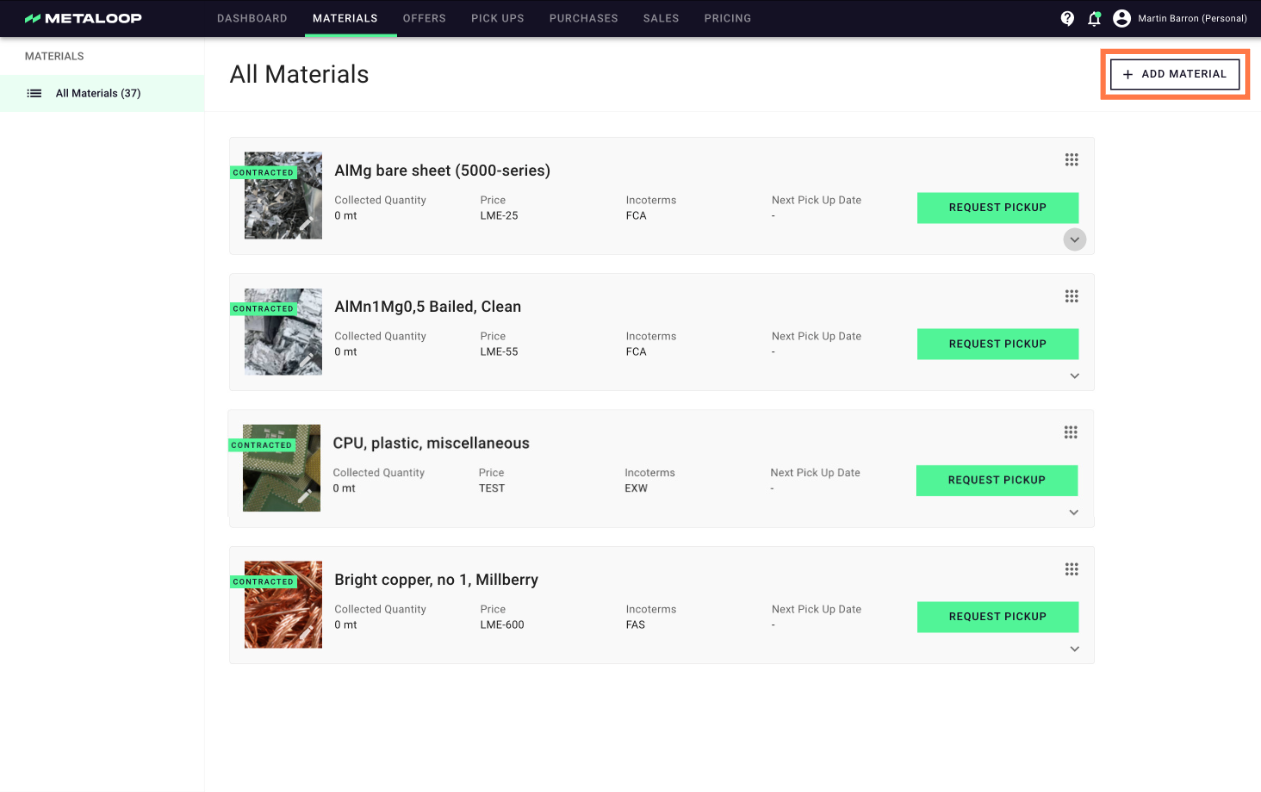
You can add all your materials that you sell as scrap into the Metaloop Portal. This enables you to more easily create offers for new materials when required.
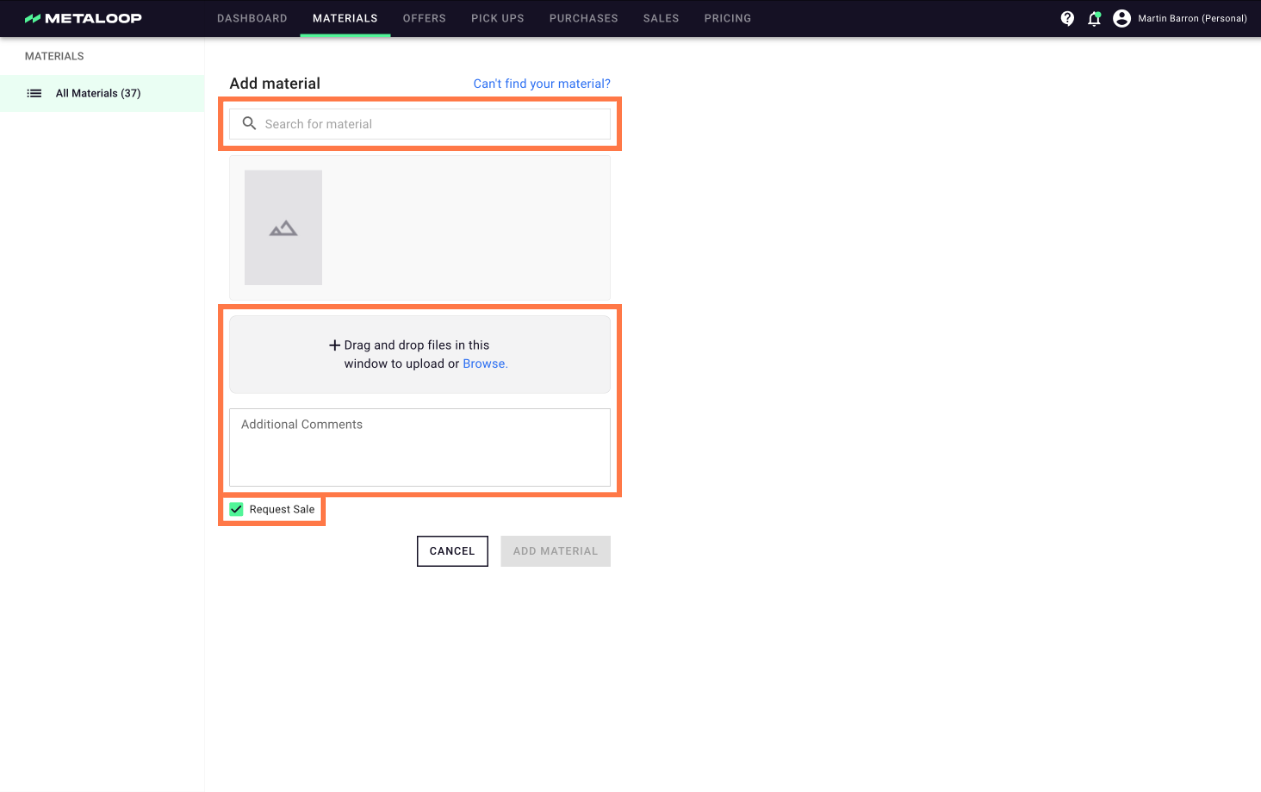
- Click on button add new material in the top right of the material page.
- Select the material from the Metaloop Material Database. If the material is not in the list then please add your own by using the 'Can't find your material' link.
- If you want to directly request an offer for Metaloop to handle the material stream for you then please ensure the checkbox 'Request Sale' is ticked.
Changing Material Image
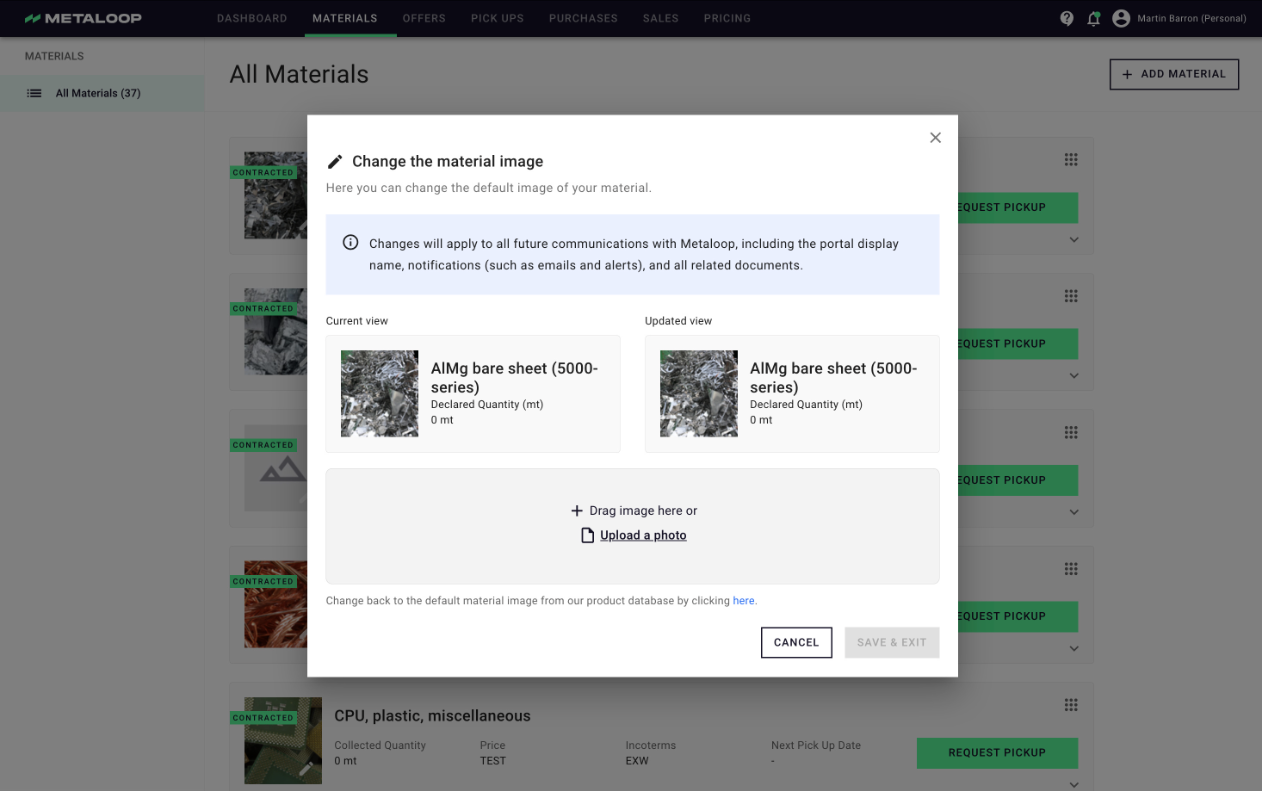
- Click on the (⠿) icon on the top right corner of the material card and selecting 'change image' or by clicking directly on the photo of the material.
- Add your own image to the material. If you want to revert at any time you can click on the link below the image uploader
| 💡: Some customers like to take photos of their containers in situ. This helps ensure on the day of pickup their colleagues can check the correct containers is prepared for pickup. |