Requesting Offers
You can request a new offer from the portal at any time for either materials we are currently servicing for you or those that we are not yet. Once you submit your request through the Metaloop Portal your account manager will be in contact with you with an offer.
Creating Sale Requests for an Existing Material
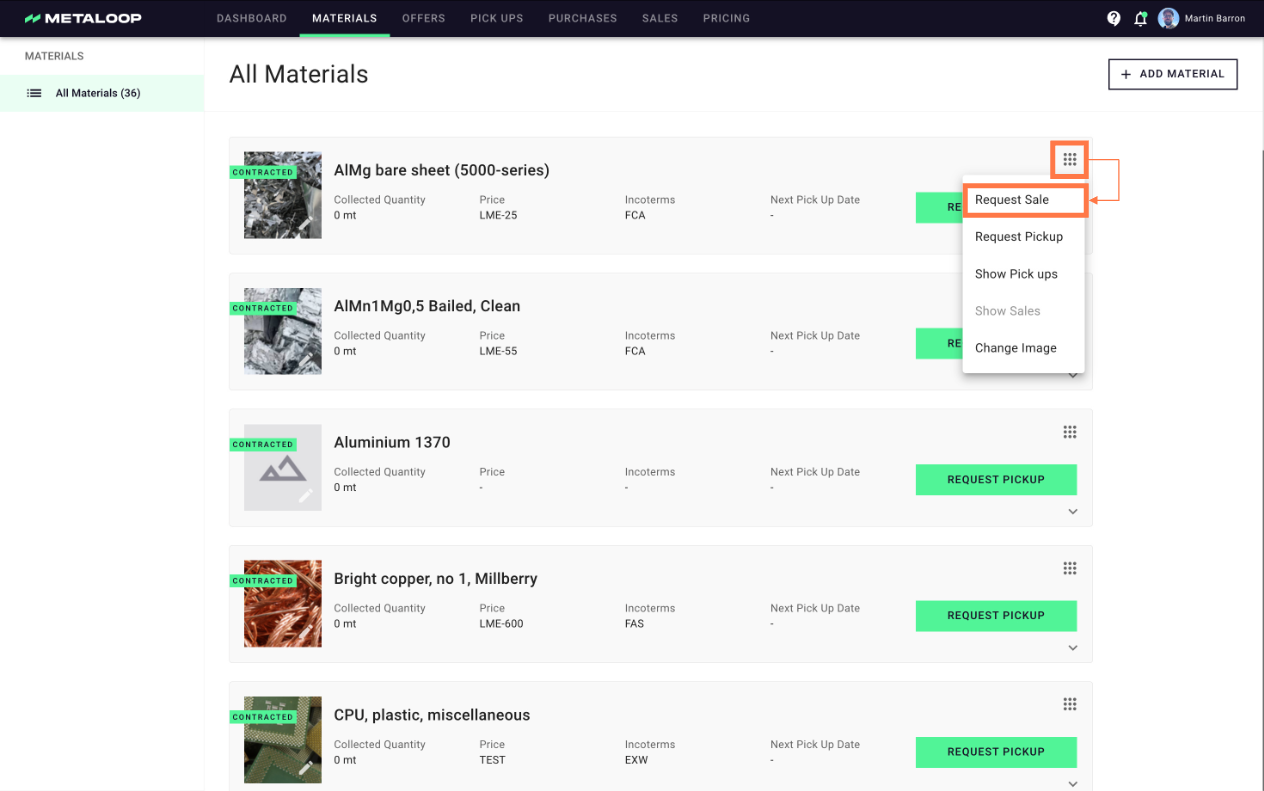
1. For an existing material that is in the Metaloop Portal you can click on the ⠿ on the material card and select 'Request Sale'.
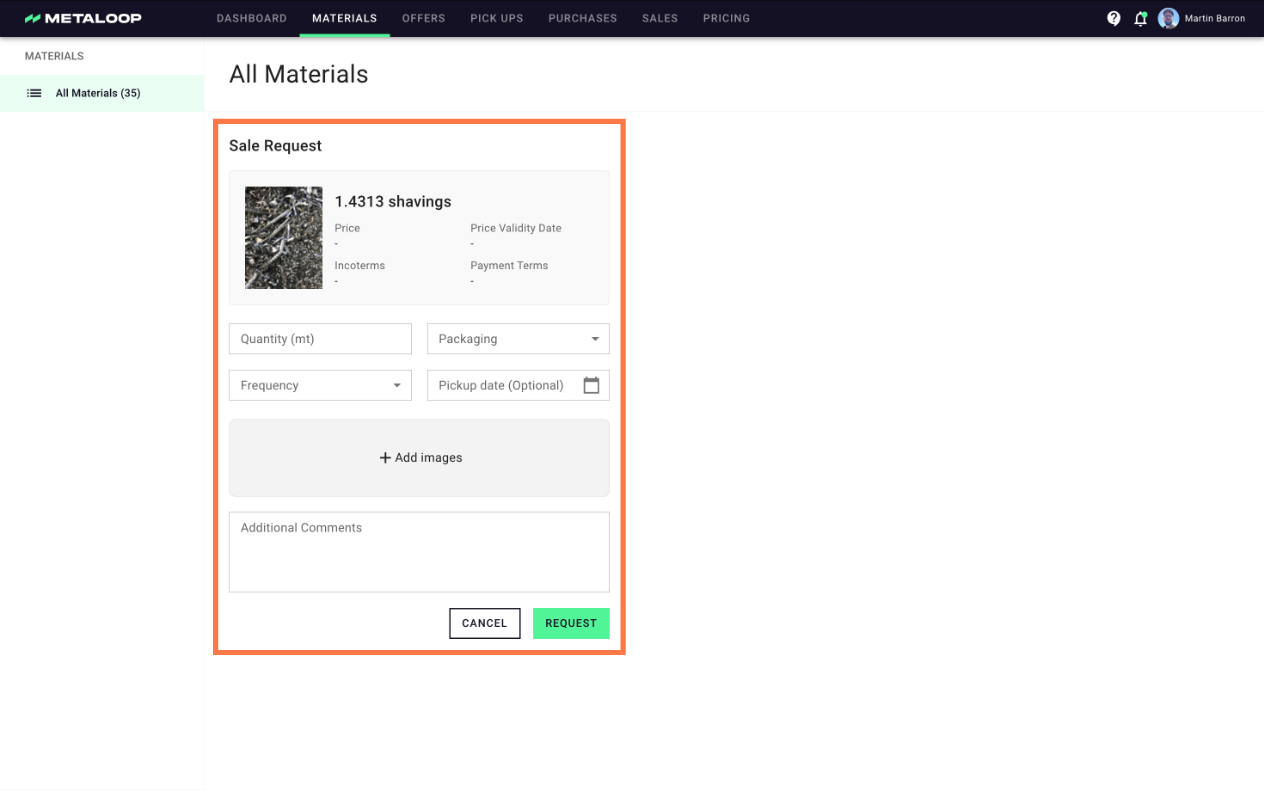
2. Enter the details relevant for us to find you the best offer for you:
- Total quantity of material
- How the material is packaged
- How often you would like pickups
- The first pickup date (if you want to schedule)
You are also able to add to add any additional information and images that you think are relevant for the quote.
Creating Sale Requests for a New Material
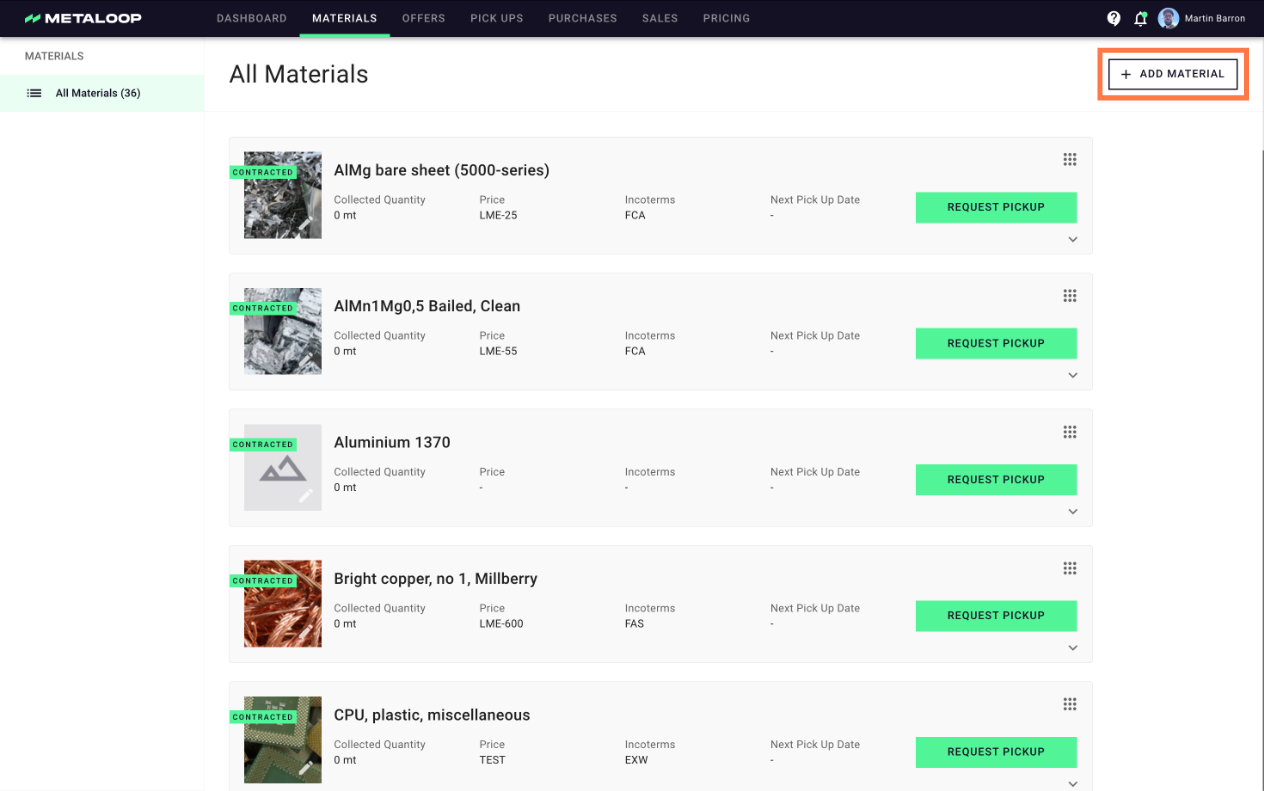
1. If the material you would like an offer for is not visible in the material section then you can add it by clicking '+ Add Material' in the top right corner.
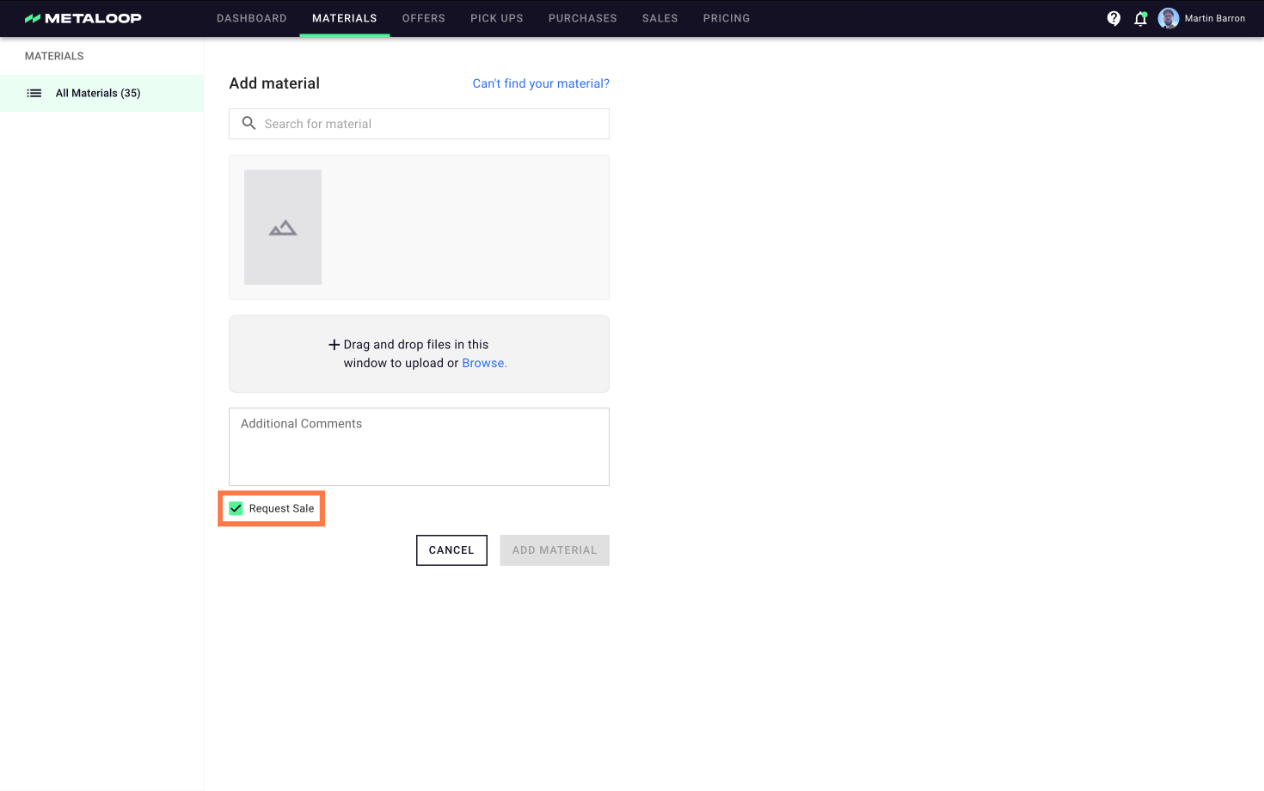
2. Then select the correct material from the drop down and ensure the box 'request sale' is already checked.