Creating new Pickups
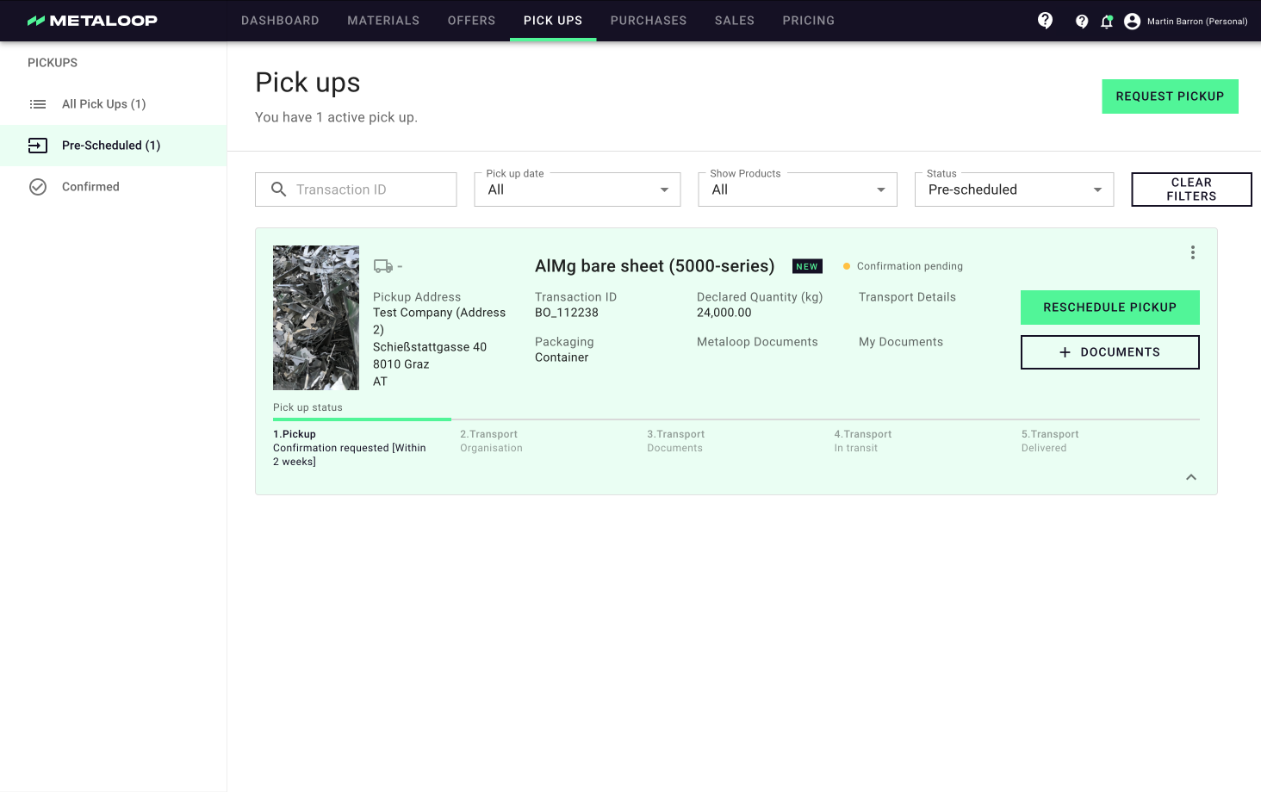
You can access your pickups and relevant information 24/7 in the Metaloop Portal from the pickup tab. This gives you the overview of all current and future pickups as well as the status and required documentation.
Creating new Pickups
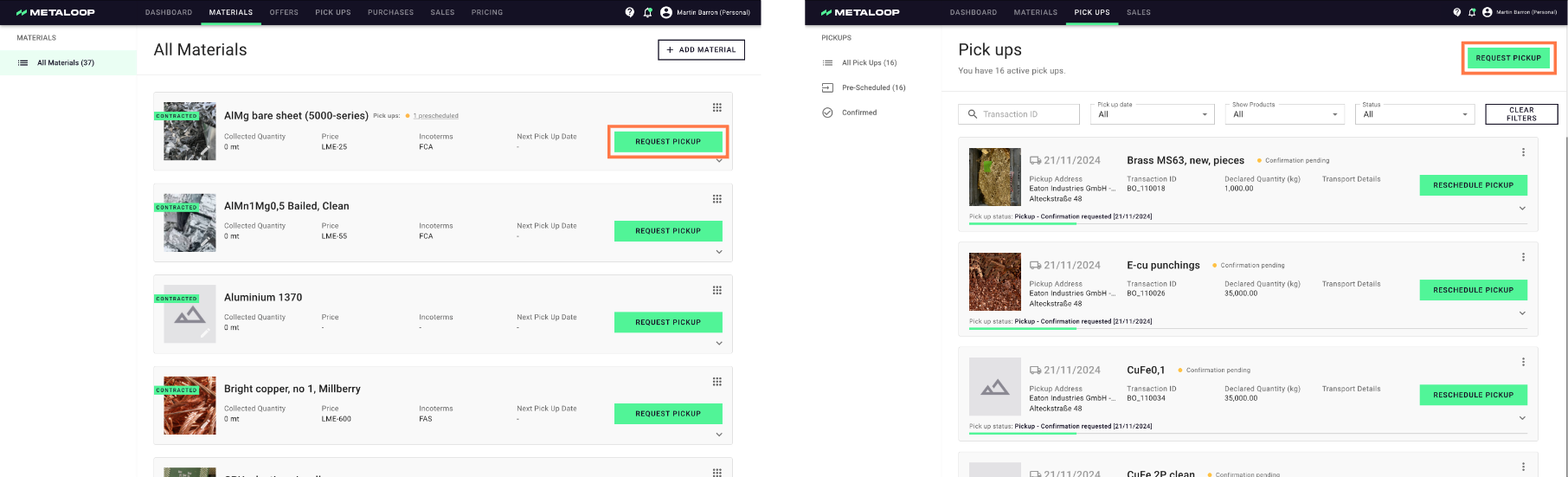
1. New pickups can be created by either clicking on the button 'request pickup' on the relevant Material on the Material page or alternatively from the Pickup page by clicking 'request pickup' and then selecting the relevant Material.
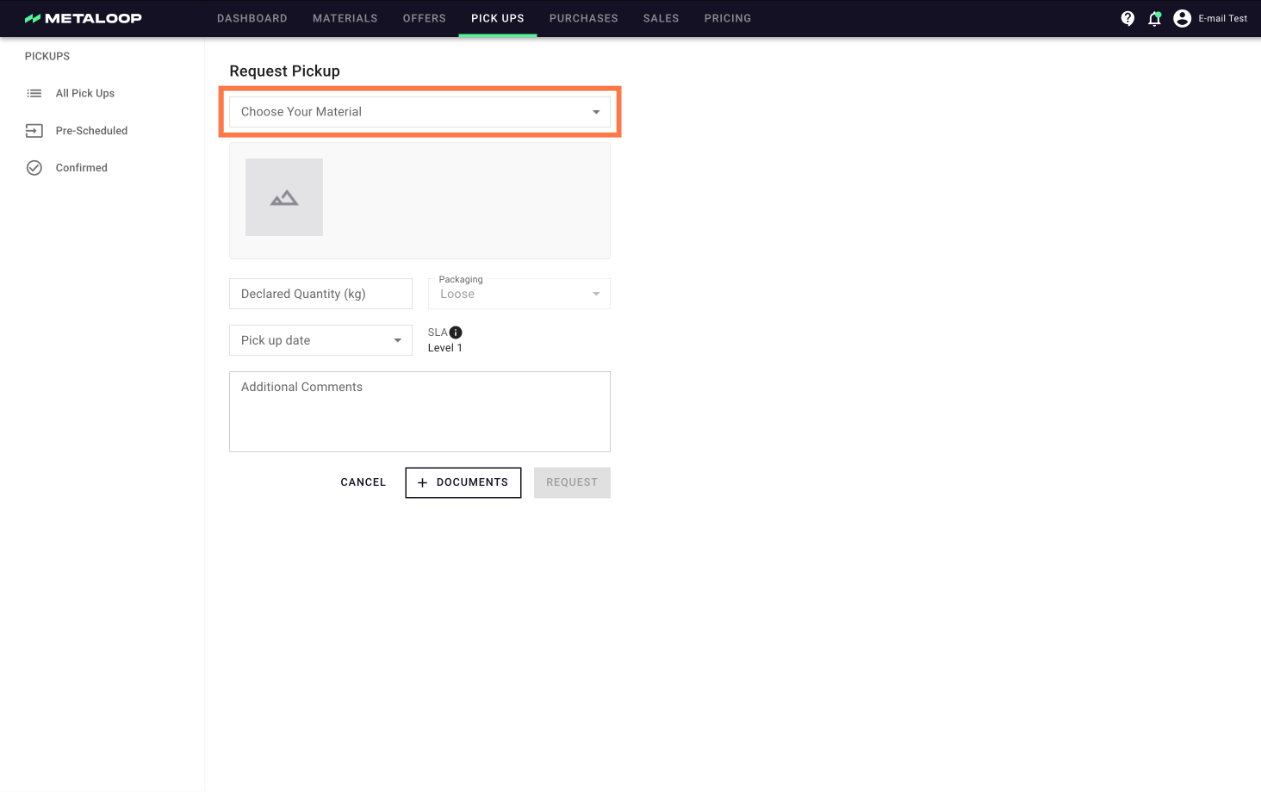
2. Complete the relevant details for the pickup. If you have requested via the pickup page then please select which material you are ordering for. As standard you are able to order pickups for from 4 working days in the future. If you would like to request reducing this then please e-mail out support team: support@schrott24.atlassian.net.
3. After ordering the pickup is visible in the Pickup section