
Setting up Notifications / E-mail preferences
In order to make sure the correct people in your organisation get the information they need when they need it we have built a notification settings in your account management area. We've divided our notifications into different topics and you can subscribe to the topics you think are most relevant to you.
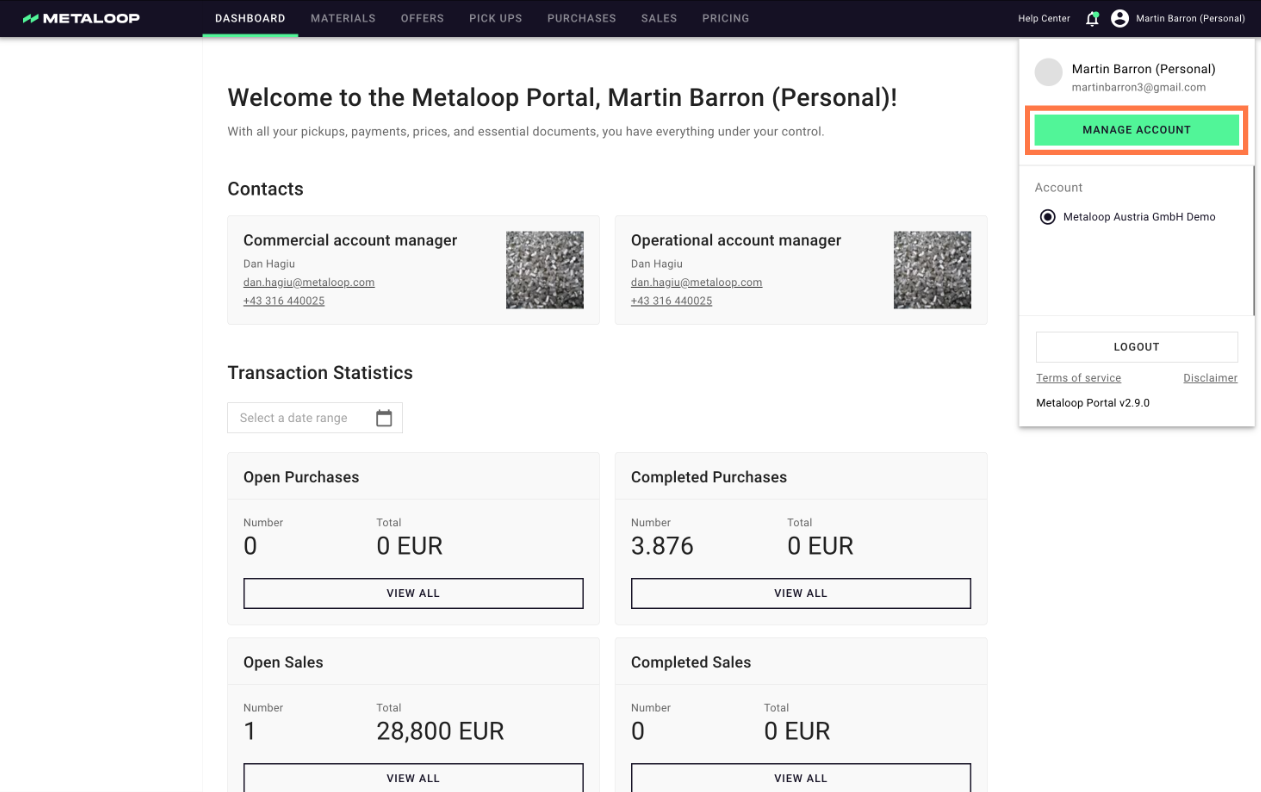
- Click on your name in the top right corner
- Select 'Manage Account'
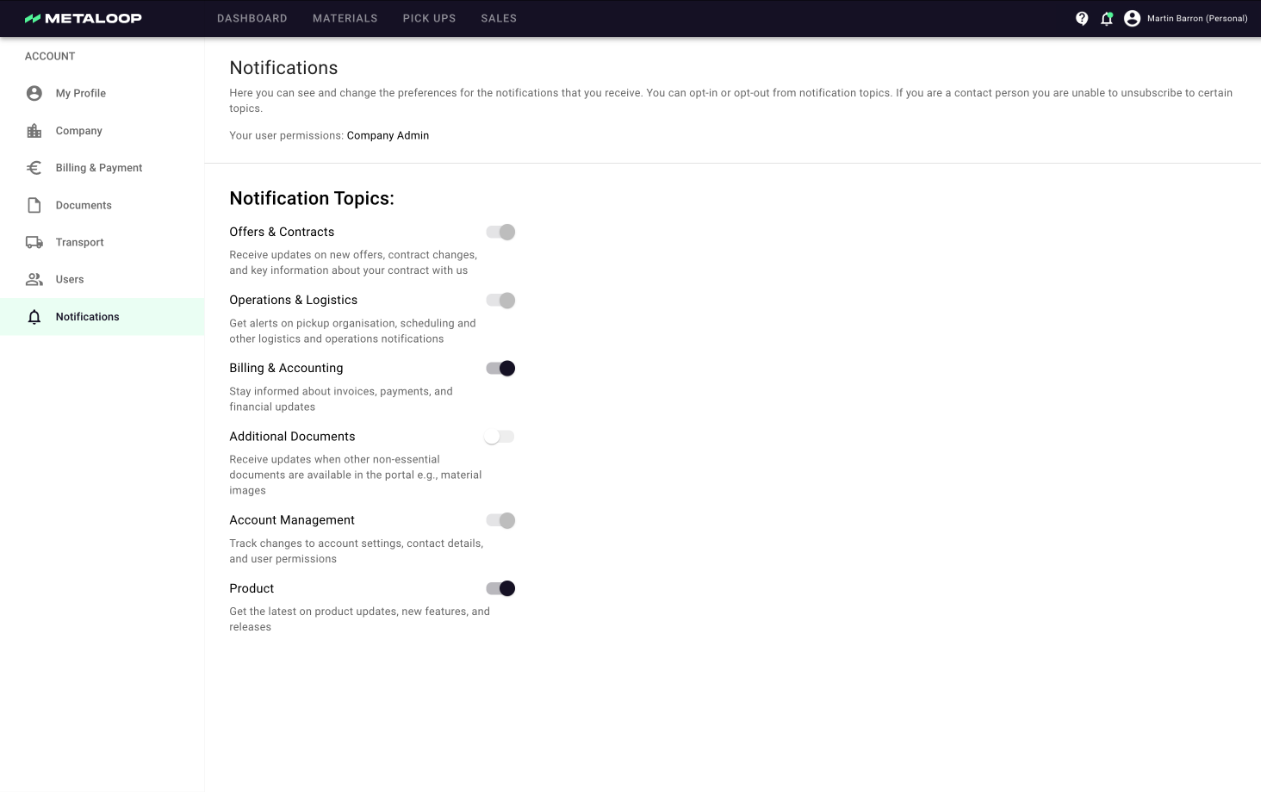
- Enter the notifications area and toggle-on or -off any notifications as you prefer
| 💡 In some cases you might not be able to turn off notifications as you have been designated a contact for communications. For more info please see https://qa-metaloop.productfruits.help/en/article/setting-up-contacts-users |
| 💡 TIP: If you are on holiday and need someone to cover you can invite them as a user and then they can be CC'ed in any additional information required. |